


JBL Headphones
4.613.03K Reviews
App Specs
- Version
- 5.36.8
- Updated On
- License
- Free
- Downloads
- 10,000,000+
- Developer
- Harman Consumer, Inc.
- Categories
- Music & Audio
- Platform
- Android, iOS
Screenshots
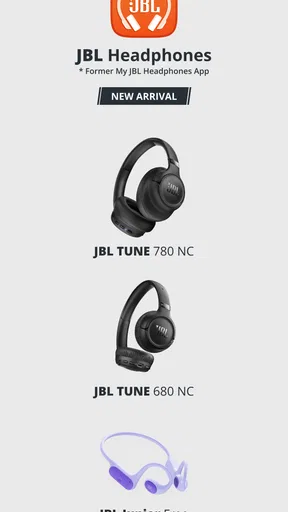
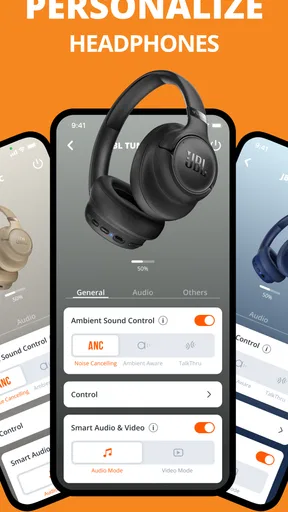
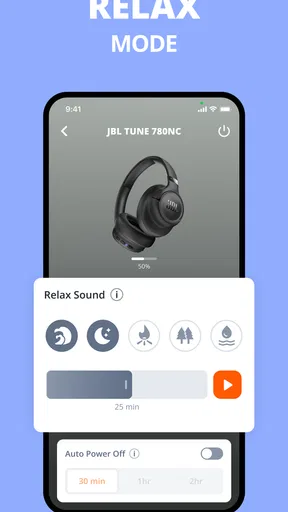
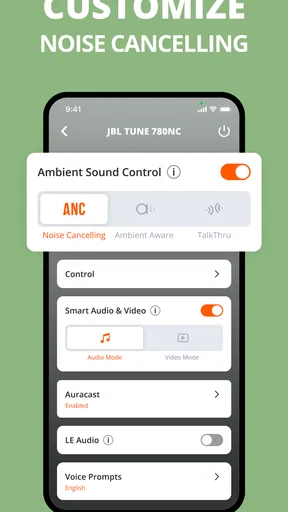
 Analysis by AppCompare
In a shared home, headphones tend to travel between people and rooms: someone takes a call at the kitchen table, another person borrows a pair for a walk, and later the owner wants their familiar sound back. I find a companion app most useful in that ordinary handoff, not as a replacement for listening, but as a way to adjust supported headphone settings without hunting through phone menus. JBL Headphones is a free music and audio app from Harman Consumer, Inc., and it is intended to work with JBL headphones rather than act as a general-purpose music player.
When one pair moves between people
For household use, the practical question is less “Can everyone use the app?” and more “Who should make changes to the headphones?” If a pair is shared, one person may prefer a stronger bass profile while another wants a more balanced sound or different noise control. The app’s adjustment options can make those preferences easier to manage, but I would treat them as settings to check when the headphones change hands, not assume that one person’s choices will suit everyone.
A realistic routine might be a parent using the headphones for a commute, then a teenager borrowing them at home. Before leaving, the owner can check the sound and listening-mode settings in the app; the next listener can make their own adjustment if they have access to the paired phone. This is a simple but useful distinction: the app helps control compatible headphones, while household coordination still depends on people agreeing who is using the pair and which settings they want.
Setup is tied to the headphones
Getting started makes most sense when the intended JBL headphones are nearby and ready to pair. After installing the app, I would connect the headphones first, then explore the controls that appear for that device. That order helps avoid the common confusion of opening a companion app and expecting it to manage audio from any headset. It is not a universal equalizer for every brand; its value is in the controls available for compatible JBL products.
That also sets a useful boundary in a shared-device household. A person using the app on their own phone can adjust the connected headphones from there, but the app should not be mistaken for a household account system or a way to coordinate several listeners automatically. If different people use different phones, it is sensible to check which phone is connected before changing settings. That small habit can prevent someone from adjusting the wrong pair or wondering why a change did not affect the headphones they are wearing.
Coordination without overcomplicating it
I would keep shared use straightforward: agree who has the headphones, avoid making changes while someone else is listening, and check the app when a setting seems unexpected. The controls are most helpful when there is a clear reason to use them, such as wanting more awareness of nearby sounds during a walk or reducing distractions while travelling. For a quick handoff, a short check of the connected device and current mode is more useful than repeatedly changing several settings without knowing which change helped.
The app is free, has an Everyone content rating, and has been available since November 6, 2015. Its current version is 5.33.8, and it requires Android 7.0 or later. It has a 4.6 average from around 613,000 ratings, with over 10 million installs. Those figures suggest that many listeners have tried it, but they do not tell me whether it will suit a particular household: compatibility with the headphones in use and the usefulness of the available controls matter more.
Worth Reading Before You Choose

Flipboard Shows What News Apps Must Do Beyond the Feed

Switching to Android Auto Means Rethinking Your Driving Routine

Google Calendar Makes a Crowded Week Easier to Manage

Ludo King Makes the Most of the Minutes Between Plans

Baby Panda World Brings Quick Play to Modern Phones, but Its Game Library Feels Busy

ESPN’s Live Game View Makes Following Close Games Easier
Age, trust, and expectations
An Everyone rating makes the app suitable for a broad audience in terms of its content classification, but that is not the same as a parental-control feature or a promise that every device-sharing arrangement is managed inside the app. I would let younger listeners use it only with the same practical guidance I would give for any shared audio equipment: respect the owner’s settings, keep listening volume sensible, and be aware of surroundings when using headphones outdoors. Those are everyday listening habits, not special controls supplied by the app.
Compared with a phone’s built-in sound controls, this companion app is the more relevant place to look when you want JBL-specific headphone adjustments. A generic music player, by contrast, is the better choice for browsing a library, making playlists, or choosing what to listen to; that is a different job. If you do not own compatible JBL headphones, or you only need basic playback controls, installing another app may add little. I would also avoid promising that every feature will appear for every model: the useful approach is to connect your own headphones and judge the options that are actually available.
Are you ready to take your music experience to the next level? Let me introduce you to the JBL Headphones app. Whether you’re a casual listener or a hardcore audiophile, this app has features that will make your jaw drop. So, let’s dive into the nitty-gritty details of this auditory companion.
Getting Started with JBL Headphones
First things first, installing the app is a breeze. A quick visit to the App Store or Google Play, and you’re all set. Once installed, the intuitive interface welcomes you, making it super easy to navigate. You pair it with your headphones in no time, and voilà, you’re ready to explore.
Sound Like Never Before
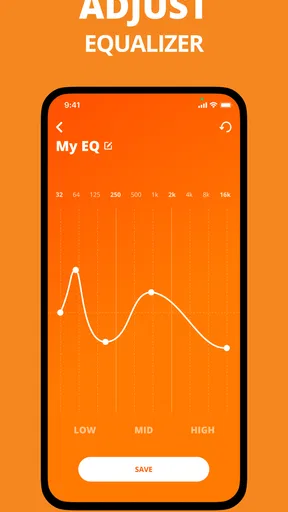
Let’s talk about the sound quality. The app offers customizable audio settings, allowing you to tweak the sound to your liking. Whether you’re into bass-heavy beats or prefer something more balanced, the equalizer settings let you fine-tune your audio experience. It’s like having a personal sound engineer in your pocket.
Features That Make a Difference
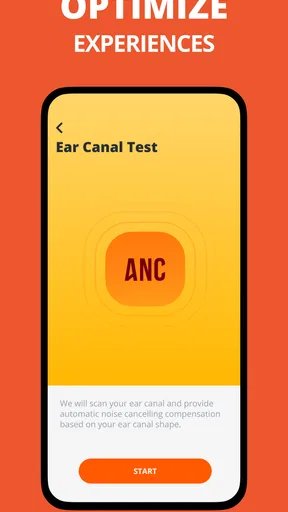
One of the standout features is the noise cancellation control. Depending on your environment, you can adjust how much outside noise you want to let in. This is perfect for those noisy commutes or when you just need some peace and quiet. The app also offers an "Ambient Aware" mode, which is super handy when you need to stay alert to your surroundings.
Another cool feature is the "Find My Buds" option. Ever misplaced your headphones? This feature helps locate them, saving you from the frantic search. It’s a lifesaver for those of us who are a bit forgetful.
A User Experience That Delivers
Using the app is a smooth ride. The interface is clean, and everything is where you expect it to be. The design is sleek and modern, making it a pleasure to use. You don’t have to be a tech wizard to figure it out, which I really appreciate.
Battery life management is another highlight. The app provides real-time updates on your headphones' battery status, so you’re never caught off guard. Plus, you can set up voice assistants like Google Assistant or Alexa, making it even more versatile.
Choosing it for your household
For me, the strongest reason to keep this app installed is that its sound and listening controls can make a compatible pair feel more personal. It is especially useful if you switch between quiet rooms, busy streets, and public transport, where the balance between immersion and awareness changes. I would not expect it to improve the headphones’ underlying sound hardware; rather, it gives you a way to tailor the experience those headphones already provide.
A less obvious tip is to change one setting at a time and listen to a familiar track or podcast before adjusting anything else. That makes it easier to tell whether an equalizer change helped, instead of confusing several simultaneous tweaks. For shared use, this also makes it easier to return to a preferred sound: remember the adjustment that worked, and avoid leaving a string of experimental changes for the next person.
Another trade-off is that convenience depends on having the phone and headphones connected at the moment you want to adjust something. If you tend to borrow headphones briefly and do not want to pair or manage an app, built-in controls on the headphones or the phone may be simpler. I see the app as worthwhile when settings are something you revisit, not as a required stop before every listening session.
Where it fits among audio apps
In the broader music-and-audio category, this is a device companion, not a streaming service, podcast directory, or replacement for the audio controls already built into a phone. Those alternatives are better when your main task is finding content or controlling playback across different brands. The companion app is the more focused option when you own compatible JBL headphones and want the adjustments associated with them in one place.
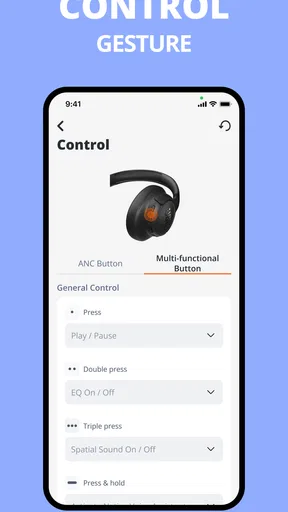
That focus is both its strength and its limit. I would recommend it to someone who uses JBL headphones regularly and wants to tune sound, manage listening modes, check battery status, or use the other controls available for their model. I would skip it if I had no compatible JBL headphones, or if my only aim were to play music. A large install base and a strong average rating can be reassuring context, but neither substitutes for checking whether your particular headphones expose the controls you care about.
My household verdict
For a shared pair, this app works best as a practical adjustment tool with clear expectations: the person using the headphones chooses the sound and awareness settings, and the next listener checks them rather than assuming they stayed unchanged. Its Everyone rating is useful context for families, but it should not be confused with account separation, supervision, or automatic household coordination. I would keep the conversation about ownership and listening habits outside the app, where it belongs.
Overall, I’d recommend installing it when you own compatible JBL headphones and expect to use their configurable features. It is free, easy to approach, and more useful than a generic audio app for headphone-specific adjustments, while a general player remains better for choosing music. For households, the best result comes from treating the app as a shared tool—not a shared account manager—and checking the connected device and settings whenever the headphones change hands.
Pros
- Seamless Bluetooth connectivity.
- Customizable sound profiles.
- Long battery life.
- Comfortable ergonomic design.
- Intuitive touch controls.
Cons
- App interface can be cluttered.
- Limited EQ customization options.
- Occasional connectivity drops.
- Requires frequent app updates.
- No option for wired connection.
FAQs for JBL Headphones
What devices are compatible with the JBL Headphones app?
The JBL Headphones app is compatible with both Android and iOS devices. It supports a wide range of smartphones and tablets running on Android 5.0 or higher and iOS 10.0 or later. Ensure your device meets these requirements for optimal performance and access to all features.
Can I customize the sound settings using the JBL Headphones app?
Yes, the JBL Headphones app offers a customizable equalizer that allows you to adjust the sound settings to your preference. You can select from preset sound profiles or create your own, giving you complete control over bass, treble, and mids for a personalized audio experience.
Does the JBL Headphones app support noise-cancelling features?
The app supports noise-cancelling features for compatible JBL headphones. You can manage and customize noise-cancellation levels directly from the app, allowing you to choose how much ambient sound you want to let in, enhancing your listening experience in different environments.
Is it necessary to have the JBL Headphones app to use the headphones?
While the JBL Headphones app enhances user experience with additional features like sound customization and firmware updates, it is not strictly necessary to use the headphones. Your JBL headphones will function as standard Bluetooth headphones without the app, but with fewer customization options.
How do I update my JBL headphones using the app?
Updating your JBL headphones is straightforward with the app. Simply connect your headphones to your device, open the app, and check for firmware updates. If an update is available, follow the on-screen instructions to download and install it, ensuring your headphones have the latest features and improvements.


